Texas Immigration Detention Map
Timeline: Timeline: Jan 2026 | Visit link
Description: At January Advisors, I built the detention map for the Texas Immigration Law Council's (TxILC) data portal. It shows every immigration detention facility in Texas, sized by how many people are held there, using data from TRAC at Syracuse University. I also built the portal's scatter plot tool and the data story slideshow on its home page.
Technical summary:
A Python script uses Selenium to pull TRAC's detention data on a schedule
Geocodio turns each facility address into latitude and longitude
Front end built in React, with a WebGL map, Plotly charts and Tailwind CSS
The scatter plot lives in the comparison tool, and the slideshow is on the home page
Mapping the detention centers
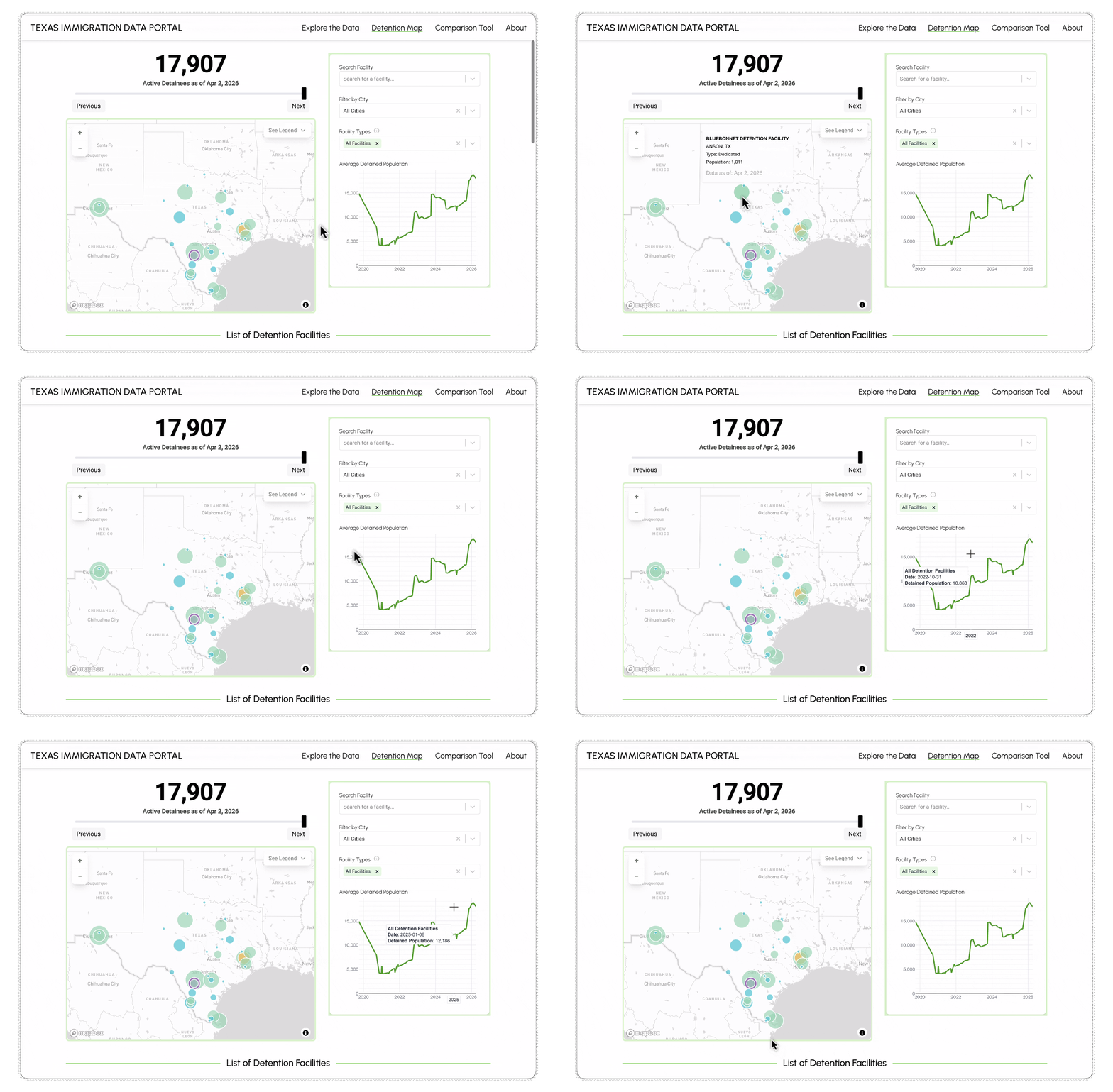
Most people don't know where ICE holds people in Texas. It's county jails, private contract facilities, federal sites, even hotels. TxILC wanted one map that answers the basic questions: where people are held, how many, who runs each place, and what legal help is available there.
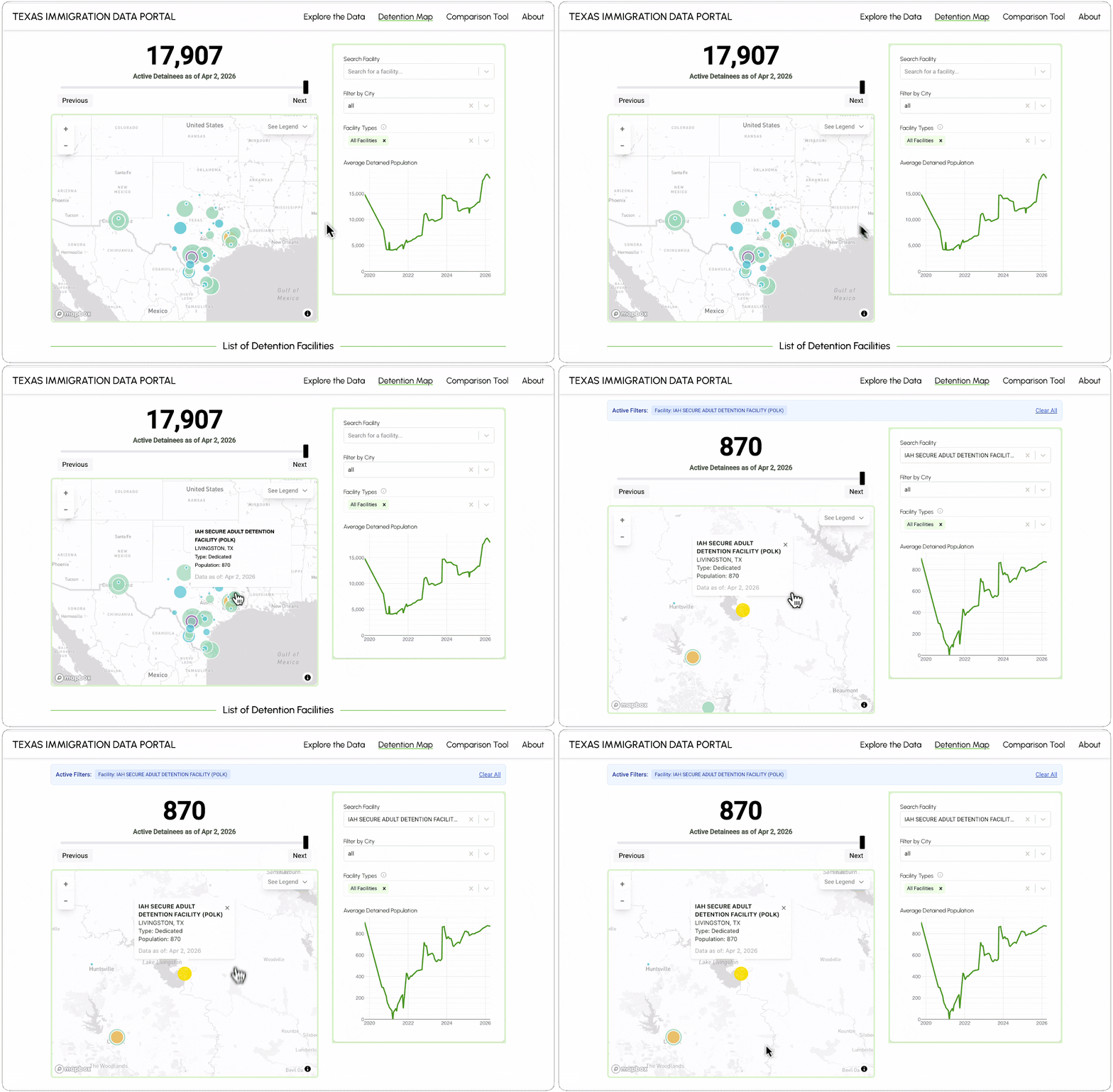
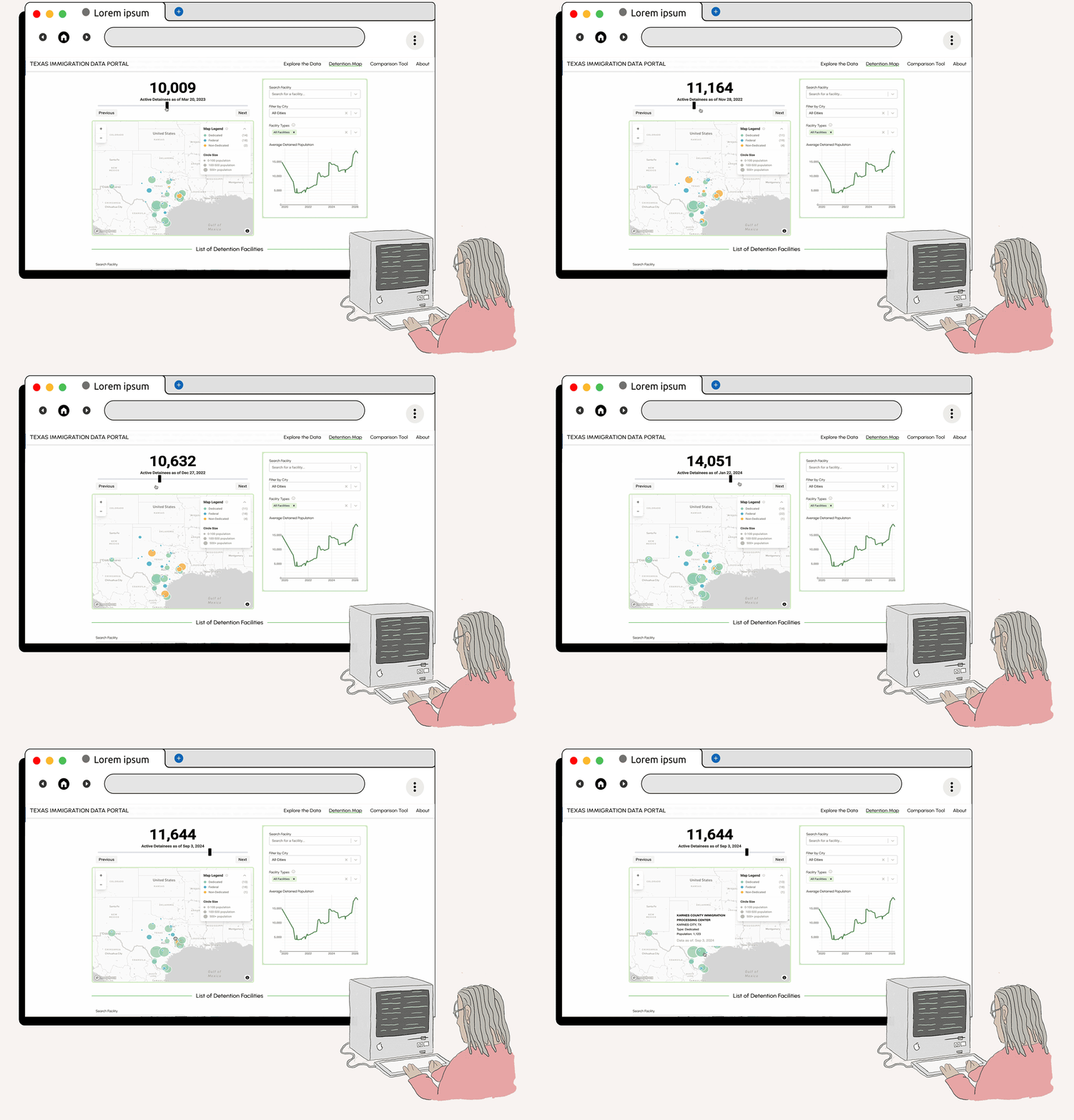
So circle size shows the average daily population, and color shows the facility type, based on the Vera Institute's categories. A date slider goes back through TRAC's snapshots to 2019. Click a facility and you get its details, including phone numbers, websites and immigration court info that TxILC's team collected.
Pulling the data from TRAC
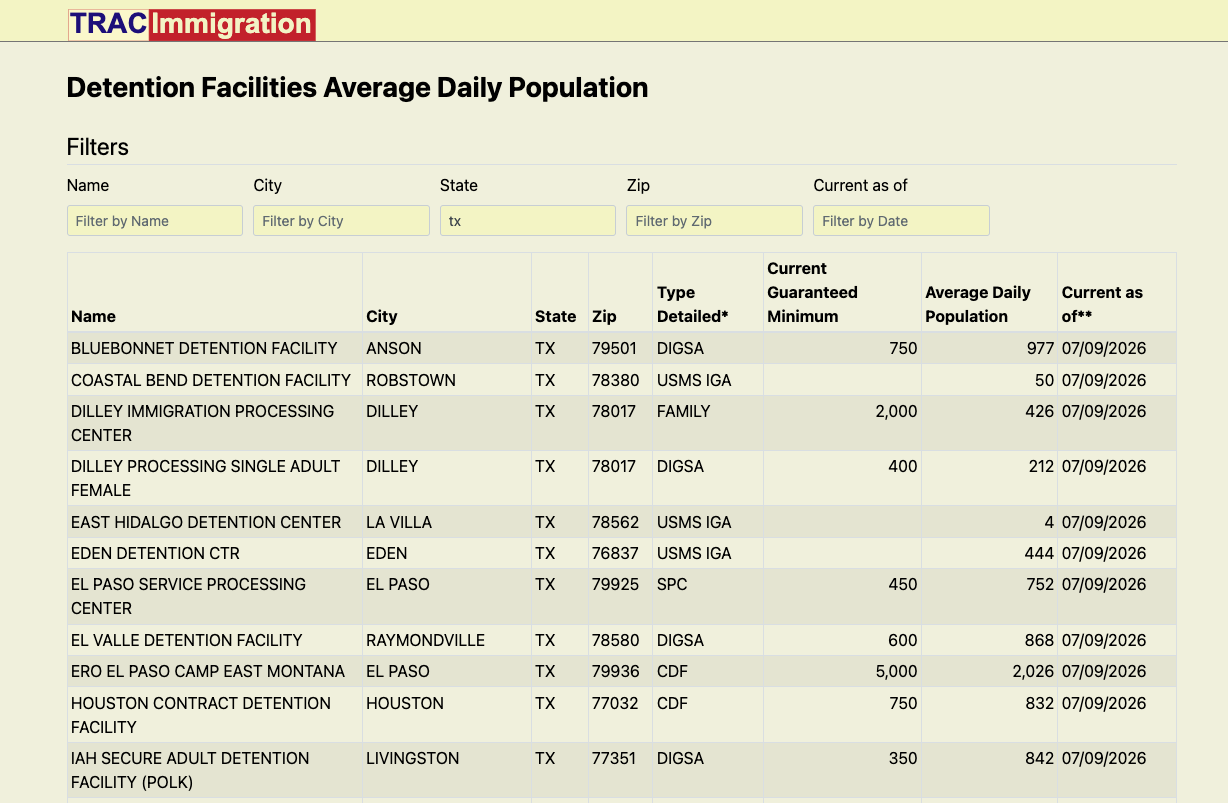
TRAC publishes its facility counts (from ICE records) on an interactive web page, not as a file you can just download. So I wrote a Python script that uses Selenium to open that page and collect the facility data, then sends the addresses to Geocodio for latitude and longitude. The script pulls TRAC's data on a schedule, and the portal keeps TRAC's dated snapshots; that's what makes the date slider work.
I wrote more about automated data collection, with a Texas weather alert map as the example, on the January Advisors blog.
TRAC's updates can lag, and some facilities report zero or unknown populations. The map's "About the Data" note says that up front.
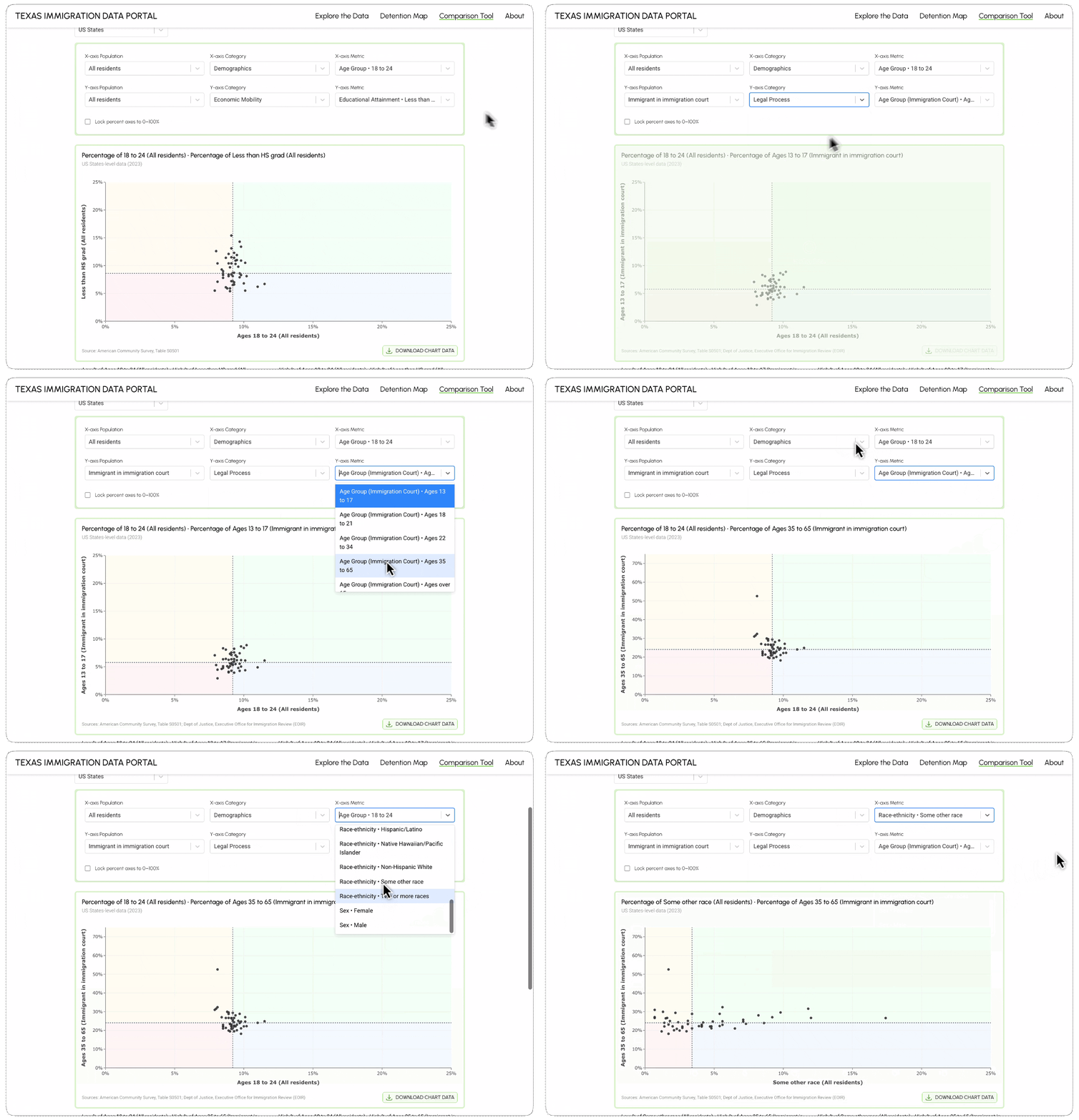
Building the scatter plot and slideshow
The comparison tool is a scatter plot. You pick two metrics for the X and Y axes and filter by population; each point is one observation. A note under the chart says it shows associations, not cause and effect.